Chatbot UI SDK
Overview
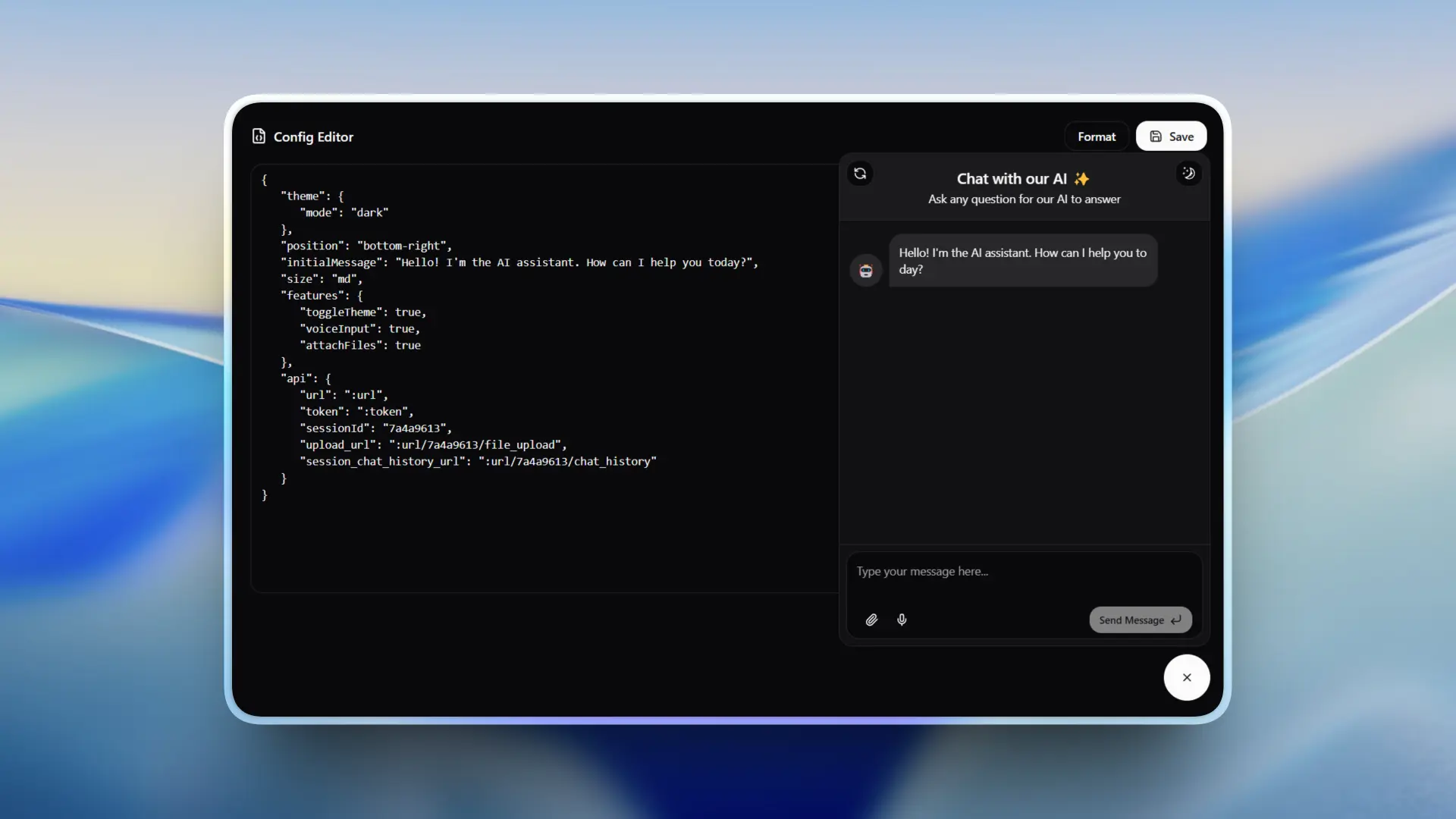
Chatbot UI SDK is a drop-in chatbot widget that can be added to any website with a single script tag. No build step, no framework dependency, no CSS conflicts — it uses Shadow DOM to isolate itself completely from the host page. The entire widget is config-driven, so everything from positioning to features can be customized at runtime without rebuilding.
It was designed for SaaS platforms that need to embed an AI chatbot without disrupting their existing frontend.
What Users Can Do
- Add to any website — One script tag, no build step required
- Chat in real-time — Instant message streaming interface
- Send files — Upload and share attachments in the conversation
- Use voice input — Speech-to-text for hands-free messaging
- Read rich content — Full markdown, syntax-highlighted code, and LaTeX math equations
- Switch themes — Light/dark mode with smooth transitions
- React to messages — Like/dislike feedback on AI responses
- Copy code blocks — One-click copy for code snippets and messages
- Pick up later — Chat history persists across sessions
Why I Built This
While working on AI-powered products, I kept running into the same problem: integrating a chatbot into an existing website without breaking styles or requiring a complex setup. Most solutions either required a full React setup, leaked CSS into the host page, or offered very limited customization.
I built this SDK to solve that — a fully isolated, config-driven widget that works on any site regardless of its tech stack. Shadow DOM encapsulation was the key to making it truly plug-and-play.
Tech Stack
- React 18, TypeScript
- Vite (build tool)
- Tailwind CSS (within Shadow DOM)
- Framer Motion (animations)
- shadcn/ui
- react-markdown, MathJax
- DOMPurify (XSS protection)